


THM News
4.6236.00 Reviews
App Specs
- Version
- 1.2.14
- Updated On
- License
- Free
- Downloads
- 10,000+
- Developer
- Salem Media Group
- Categories
- News & Magazines
- Platform
- Android
Screenshots


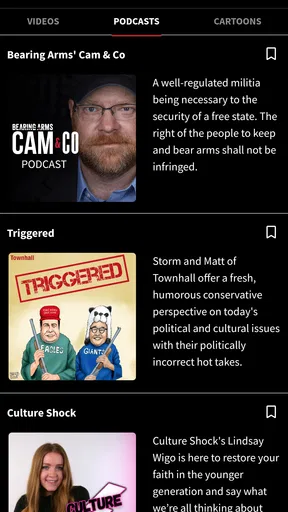
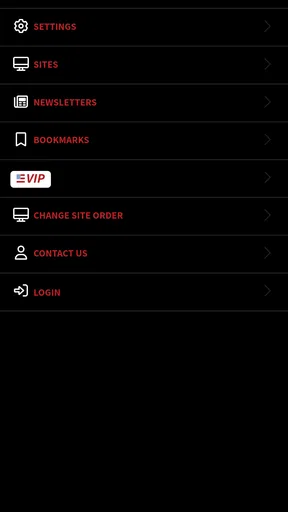
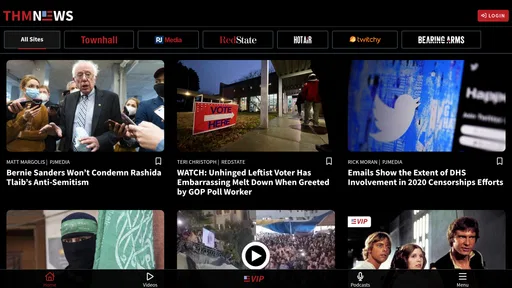
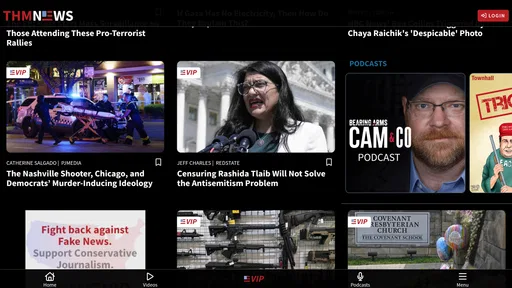
 Analysis by AppCompare
I approached THM News as a daily news reader rather than as a casual app to open once and forget. Developed by Salem Media Group, it is a free News & Magazines app built around an unfiltered conservative perspective. That focus is immediately important: this is not trying to be a neutral, all-sides news kiosk. It is intended for readers who want current events presented through a clearly conservative editorial lens.
In my experience, that narrow identity is both the app’s main attraction and its main limitation. If that viewpoint matches what you are looking for, the app can make it easier to keep one particular news perspective close at hand. If you want a broad mix of competing outlets, international reporting from many editorial traditions, or a deliberately balanced starting point, a general news aggregator will probably suit you better.
How I used THM News in a normal day
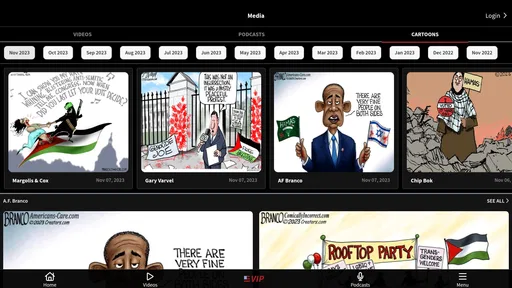
My most useful routine was simple: I opened the app when I had a few minutes, scanned the available headlines, and then decided which items deserved more attention. That sounds basic, but it is the right way to approach a focused news app. Rather than treating every headline as equally important, I used it as a first pass through stories that fit the app’s conservative news identity.
A realistic example would be checking the app during a morning commute, before work becomes busy. I could look over the latest political and cultural coverage, note the stories that seemed relevant, and return later when I had time to read more carefully. In the evening, I could compare an important story with a broader news source instead of assuming that one editorial viewpoint gave me the complete picture.
That last step matters. I found the app more useful when I treated it as one part of a news habit, not as my only source. A focused outlet can help me follow issues that matter to me, but it can also emphasize certain subjects and interpretations. The practical lesson is to use THM News for perspective and discovery, then cross-check major claims through another reputable source when the subject affects work, money, health, voting, or personal decisions.
The app is available at no charge, which makes trying this workflow easy. Its content rating is Everyone, so it is positioned for a general audience rather than a restricted age group. That does not mean every news topic will feel comfortable or suitable for every family conversation; news can still involve conflict, crime, politics, and emotionally charged commentary. It simply means the app is classified for broad use.
What the conservative focus changes
The phrase “unfiltered” should not be read as “without editorial choices.” Every news service chooses which stories to display, how to frame them, and which details to emphasize. In this case, the stated identity tells me to expect a conservative point of view rather than a neutral wire-service presentation.
Worth Reading Before You Choose

EA SPORTS FC Mobile 26 Is a Bigger Football Game, but It Takes Time

Flipboard Shows What News Apps Must Do Beyond the Feed

Switching to Android Auto Means Rethinking Your Driving Routine

Google Calendar Makes a Crowded Week Easier to Manage

Ludo King Makes the Most of the Minutes Between Plans

Baby Panda World Brings Quick Play to Modern Phones, but Its Game Library Feels Busy
For a reader who already follows conservative commentary, that can reduce the time spent searching across several sources for a particular style of coverage. It may also make the app feel more coherent than a mixed feed where headlines jump between very different editorial approaches. I appreciated that clarity because I knew what kind of perspective I was opening.
The trade-off is that readers who mainly want fact-first reporting with minimal opinion may find the experience less comfortable. Likewise, someone researching a controversial topic should not stop after reading one viewpoint. I would use this app to understand how a conservative audience may interpret a story, then deliberately seek another account when accuracy and context matter more than convenience.
Settings and habits that are worth checking
With a focused news app, the most valuable “advanced” improvement is often not a hidden tool but a repeatable reading habit. I recommend spending the first few sessions noticing how the app presents its news, which subjects repeatedly catch your attention, and which items you tend to open. That helps you use the app intentionally instead of letting the loudest headline decide your entire news diet.
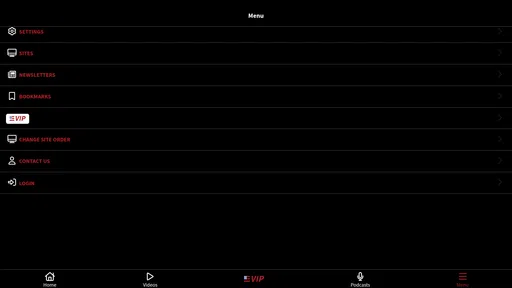
I also suggest checking the app’s available settings when you first install it, especially any controls related to how content is displayed or how the app behaves on your device. I would not assume that every reader needs the same configuration. A person who checks news several times a day may prefer a quick, uncluttered routine, while someone who reads only at night may want a slower session in which each story receives more attention.
Because the app’s identity is so specific, I would pay particular attention to whether its presentation encourages you to read beyond headlines. Headlines are useful for triage, but they rarely contain enough context for a responsible conclusion. My own rule was to open an article before sharing or discussing it, then ask whether the wording was reporting an event, interpreting it, or arguing about its importance.
This is also where a second source becomes a useful setting in your broader workflow. I kept a general news app or browser search available for comparison, not because THM News was unusable, but because a single editorial stream can make familiar subjects feel more settled than they really are. The strongest routine is not “pick one app forever”; it is “know what each app is good at.”
Faster patterns for busy readers
For quick sessions, I found it helpful to separate discovery from reading. On the first pass, I looked only for stories that affected my interests or required follow-up. On the second pass, I read the selected items carefully. This prevented me from spending the entire session on whichever headline happened to use the most dramatic wording.
Another useful pattern is to group reading by purpose. I might open the app for a general update in the morning, return later for a specific political story, and then use a different source when I needed a neutral timeline or broader international context. That division keeps THM News in a role it handles well: a convenient place to follow conservative coverage without pretending that every research task has the same requirements.
If you are sharing a story with friends or family, I recommend adding a short description of the article’s angle rather than forwarding only the headline. That small habit makes conversations more honest. It tells the other person that the item comes from a conservative news source and gives them a fair chance to interpret it with the appropriate context.
Readers who are easily pulled into endless scrolling may benefit from setting a personal stopping point. For example, I might review the main items once, save the topics I genuinely want to understand, and close the app instead of repeatedly refreshing. The exact routine is up to you, but the principle is valuable: use a news reader to stay informed, not to turn every spare minute into another cycle of outrage and reaction.
Where THM News is strongest
The clearest strength is focus. Salem Media Group has created an app with a recognizable editorial identity, and that makes it easier for the intended audience to find a conservative news experience without first sorting through a completely mixed collection of sources. The app’s free price also lowers the barrier for a reader who wants to test that approach before making it part of a daily routine.
Its audience appears established enough to give the app visible traction: it carries a 4.6 average from around 2.6 thousand ratings, with more than 10 thousand installs. Those figures do not prove that it will match your preferences, but they do suggest that it is not an empty or abandoned experiment. I would still judge it by the quality and usefulness of the reading experience for my own needs rather than by popularity alone.
Another strength is clarity of purpose. Many general news apps try to satisfy everyone and end up feeling like crowded headline collections. THM News makes a more direct promise about its viewpoint. For conservatives who want that perspective first, the narrower scope can feel more efficient than navigating a broad aggregator.
Where another news app may be better
The same focus that helps one reader can frustrate another. If you want local reporting, a wide international selection, specialist business coverage, or a deliberate comparison of left, right, and center perspectives in one place, you may need additional apps. I would not choose THM News as my sole research tool for a complicated issue where source diversity is essential.
It may also be a poor fit for someone who dislikes opinionated framing altogether. A general wire-service app or a carefully configured news aggregator may be better when your priority is a broad factual overview before you explore commentary. Similarly, students and researchers may prefer sources with clearer separation between reporting and opinion, depending on the assignment.
There is also a practical cost consideration even though the app itself is free. The listing includes in-app purchases priced at $89.99 per item, so I would review any purchase prompt carefully before confirming it. Free installation does not mean every possible part of the experience has the same cost structure. I would be especially cautious if I were handing the phone to a child or allowing family members to use my device.
Version, compatibility, and everyday fit
The app was released on November 7, 2023, and the current version is 1.2.14. It requires Android 7.0 or later, which means many older Android phones can meet the basic operating-system requirement. I would still keep the device’s system software and the app itself reasonably current, because news apps depend on reliable loading and a stable reading session.
Those details make it approachable for people using an older Android handset, but compatibility alone does not answer whether it belongs on your phone. The more important question is whether you want a dedicated conservative news source or a broader, more mixed news experience. The app is a sensible trial for the former, while the latter calls for a different starting point or a combination of sources.
My practical verdict after building a routine
After using THM News as a focused part of a broader news routine, I see it as a useful choice for readers who actively want conservative coverage and understand the value of checking important stories elsewhere. I like its direct identity, free entry point, and suitability for short headline-to-article reading sessions. It is easy to recommend to a friend who says, “I want a conservative news app,” because the purpose is clear from the beginning.
I would not recommend it without qualification to someone asking for a complete, neutral news diet. That reader should start with a broader aggregator or a source designed to present multiple editorial perspectives, then add this app if conservative commentary is useful to them. The best experience comes from assigning it a specific role rather than expecting it to replace every other news source.
My final advice is to build a small, disciplined workflow: scan THM News for stories and perspectives you care about, read beyond the headline, identify whether a passage is reporting or interpretation, and compare consequential claims with another reputable source. Used that way, THM News is more valuable as a focused viewpoint than as an all-purpose news replacement. For the right reader, that focus is precisely the reason to install it.
Pros
- Clear coverage of local and regional news stories.
- Useful mix of breaking news
- features
- and community updates.
- Articles are generally quick to open and easy to scan.
- Convenient access to news while traveling or away from a computer.
- Regular updates help users keep track of developing stories.
Cons
- Some stories may be limited to a specific geographic audience.
- News alerts can become distracting if too frequently enabled.
- Content depth may vary between major and smaller stories.
- The app may require a stable connection for smooth media loading.
- Older articles can be harder to find without strong search tools.
FAQs for THM News
What is THM News, and what type of content does it provide?
THM News is a news and information application designed to help users keep up with current events, headlines, and selected stories in one place. Depending on the edition and available content, it may cover topics such as technology, business, entertainment, politics, or general news. Before downloading, users should check the app description and screenshots to confirm that its coverage matches their interests and region.
Is THM News free to download and use?
THM News may be available to download at no initial cost, but the exact conditions can vary depending on the Android or iOS version and the publisher’s current policy. Some features or articles could include advertising, optional subscriptions, or other in-app purchases. It is advisable to review the store listing carefully before installing, especially the pricing section and any information about premium content or recurring payments.
Does THM News require an internet connection?
Yes, THM News generally needs an active internet connection to retrieve the latest headlines, refresh articles, load images, and display other online content. It may work over Wi-Fi or mobile data, although using mobile data frequently can affect your data allowance. Availability of offline reading, if offered, may be limited to previously loaded stories and should not be assumed for every article.
What permissions and personal information might THM News request?
The permissions requested by THM News can differ between devices and app updates. A news application may request internet access, notifications, storage or media access, and possibly location permission for regional news or advertising features. Before accepting, review the permission prompts and the developer’s privacy policy. Only grant access that seems necessary, and check the app-store privacy section for information about collected or shared data.
Is THM News suitable for all users, and can its notifications be controlled?
THM News can be useful for users who want convenient access to regularly updated information, but the suitability of its content depends on personal interests, age rating, language, and regional availability. Notifications may be helpful for breaking headlines, yet they can become distracting. After installation, check the app’s settings and your device notification controls so you can choose which alerts to receive or disable them completely.


